Record
Camera Studio keeps the framing and audio settings in one place, so you can film three takes without leaving the app. Already filmed? Start from Photos.
Talking head editing
Most editors hand you an empty timeline and a bin of clips. CutNow hands you the edit: pauses shortened, repeats removed, captions placed — then gets out of the way while you decide.
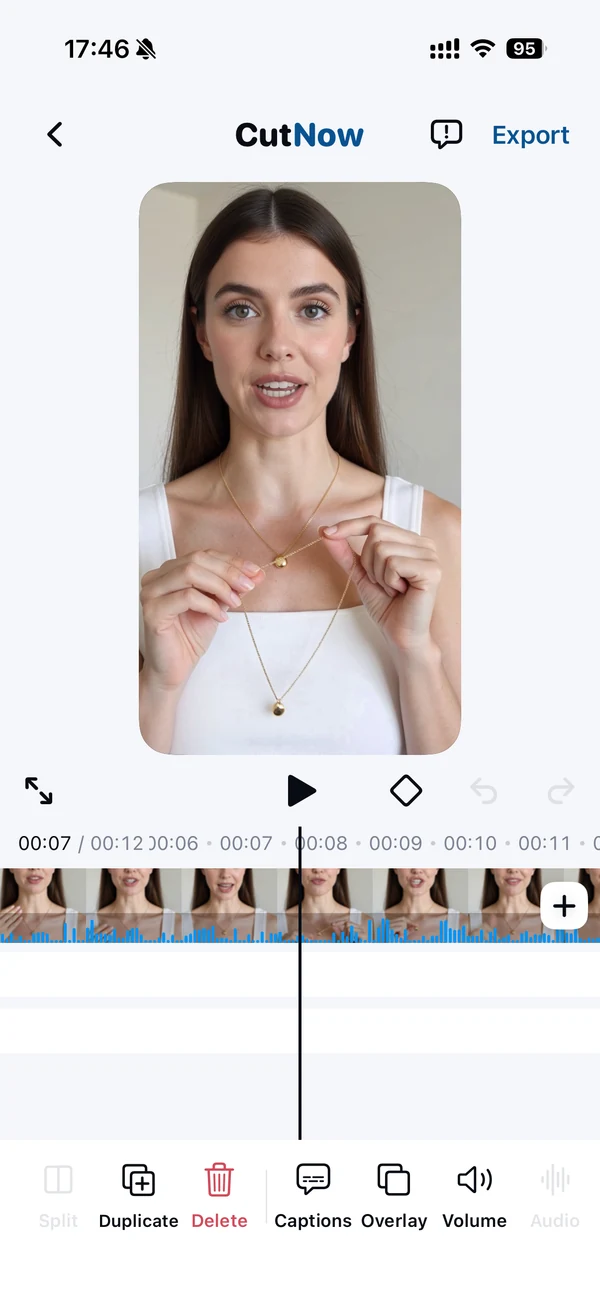
A talking-head video is one shot, one voice and no cuts to find. Every second of the edit is judgement about speech: where a thought ends, which take was better, how long a pause can survive.
That is why general editors feel wrong for it. They give you trim handles and expect you to listen to the whole take at 1× before you can start. The work isn't trimming — it's deciding, and the deciding only gets fast when the cuts are already proposed.
CutNow builds the proposal from the transcript, then shows it as ordinary clips. Accept, revert, reorder — the result is a normal edit you can keep working on.
Three steps, and the middle one is the only one that asks for your attention.
Camera Studio keeps the framing and audio settings in one place, so you can film three takes without leaving the app. Already filmed? Start from Photos.
The cut opens with pauses shortened, repeats dropped and captions in sync. Play it once, fix what you disagree with, then move on.
Pick the ratio for the platform — 9:16 for Shorts and Reels, 16:9 for YouTube — and export up to 4K without a watermark.
The same recording goes out in the crop each feed expects, without a second edit.
For talking videos, mostly — it covers the cut, captions, overlays and export. For cinematic edits with multicam, colour grading and motion graphics, you still want a desktop editor.
No. Camera Studio is a convenience, not a requirement. Import a clip and the same passes run.
One voice, facing the camera, recorded in a quiet room. Several speakers or loud background music make the transcript less reliable, and the cut follows the transcript.
Yes, iOS 17 or later. There is no web or desktop version — the point is to edit where you filmed.
One take, one review, four crops — and the afternoon back.
From $19.99/month · 3 days free on monthly plans · No watermark